
Harmonic Geometry
Turn harmonic ratios into curves, fields, textures, and sound. Meet the nodes, then explore eight ready-to-open patches.
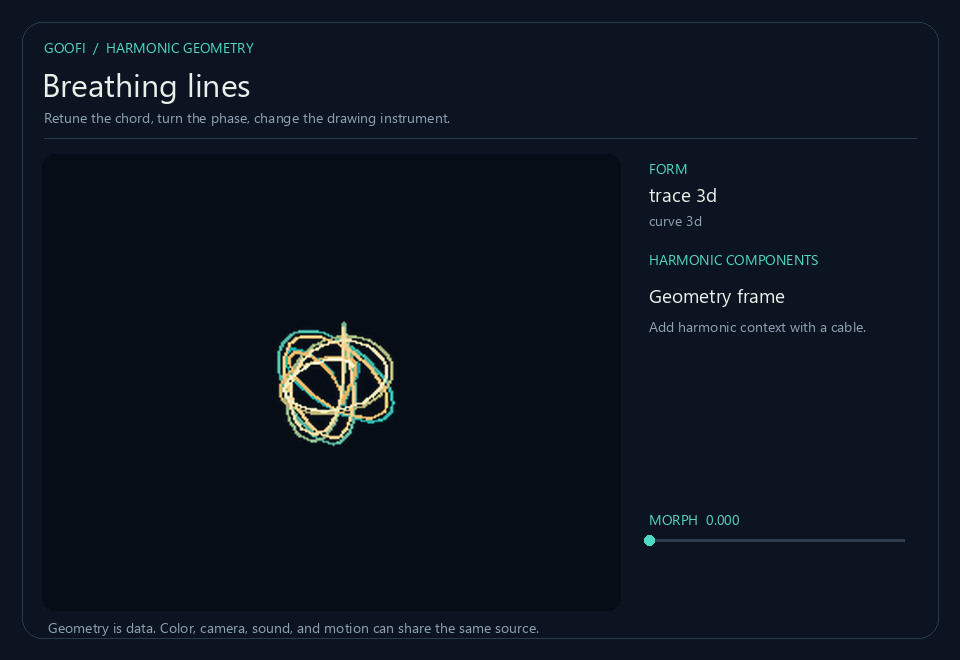
Start with a chord and see what it can become. Keep the tuning fixed while you explore a shape, or send one changing chord to several views at once. The images below are rendered node outputs.
Start here
Enable the EEG, Biotuner, and Harmonic Geometry bundles. GPU views need the graphics engine.
Open a downloaded .gfi file with Goofi’s patch controls. The Explore tab shows the patch, its viewers, and shared controls together. Point to the canvas and press F to fit the graph.
Start with Breathing lines. Move mix to choose a harmonic state; auto adds motion around that choice. CycleSeconds sets the pace—smaller values move faster. In recipe 03, mix instead blends plate patterns with open waves. Recipe 05 has a mix bus ready for AudioOut.
Recipes 02, 03, 04, and 09 use prerecorded EEG. Biotuner turns its peaks into harmonic ratios; relative alpha power adds visual modulation. For a quick response, try Response at 0.25 seconds. For a slow drift, try CycleSeconds at 45–90 and Response at 3–8 seconds. CycleSeconds controls automatic motion; Response smooths the EEG changes. Adjust EEGDepth to change their strength. Allow two seconds for analysis to start and the selected smoothing window to fill.
Start with recipe 01 ↓ Bundle setup →
Meet the nodes
Twelve nodes belong to Harmonic Geometry. Three companions from Biotuner supply changing ratios and voice controls. Each illustration shows the node’s input and output ports; open its documentation for parameter details.
Turn a chord into a shape
Try it. Keep the chord still and change geometry/method. Compare a trace, a graph, and a field to see how each uses the same intervals.
Good to know
The output is geometry data, not an image. Use GeometryView or GeometryRender to see it. Discrete methods can change suddenly as ratios move.
Inputs: input: ARRAY
Outputs: geometry: ARRAY
Map a chord to plate patterns
Try it. Change the chord in recipe 02, then raise detail to allow higher plate modes. Smooth softens the changes between mapped patterns.
Good to know
Fractional mode coordinates make a smooth visual transition; they are not integer eigenmodes of the original plate.
Inputs: input: ARRAY · target: ARRAY · transition: ARRAY · mix: ARRAY
Outputs: modes: ARRAY · mapping: STRING
Let a field guide grains and motion
Try it. Change transport/affinity from positive to negative. Compare where the grains collect, then explore the flow used by HarmonicFlow.
Good to know
Equilibrium grains are freshly sampled positions. Persistent motion comes from the Flow shader, not particle tracking in this node.
Inputs: input: ARRAY
Outputs: geometry: ARRAY
Move between two finished shapes
Try it. Keep both endpoints still and move blend/mix. Compare a field crossfade with the vertex blend in Knot to knot.
Good to know
Meshes need matching faces. Curves are resampled; field domain mode needs matching grids. A smooth blend can still create intersections.
Inputs: a: ARRAY · b: ARRAY · mix: ARRAY
Outputs: geometry: ARRAY
Measure the shape you are seeing
Try it. Open a viewer on the measurements and change the geometry method. Compare which measurements are available for each kind of shape.
Good to know
Undefined measurements remain NaN. A missing value is not zero, and not every measurement applies to every method.
Inputs: input: ARRAY
Outputs: values: ARRAY
See geometry with its context
Try it. Switch display/layout between a labeled dashboard and a transparent image. Keep camera/autofit off when comparing changes in amplitude.
Good to know
This is a rendered image. Keep the original geometry array for coordinates, fields, or later measurements.
Inputs: input: ARRAY · harmonic: ARRAY · metrics: ARRAY · palette: ARRAY
Outputs: image: ARRAY
Draw geometry directly on the GPU
Try it. Adjust ink/thickness and view/radius to inspect a curve or mesh at a fixed scale.
Good to know
Reads the indexed geometry array directly. It provides a visual rendering, while the original array retains the geometry data.
Inputs: geometry: ARRAY
Outputs: out: TEXTURE
Draw three components as a moving trace
Try it. Hold the tuning still and change camera/yaw. Then change trace/duration to compare short and long exposures.
Good to know
Only three selected components drive the axes. Higher frequencies or longer exposures need more samples to remain clear.
Inputs: harmonics: ARRAY
Outputs: out: TEXTURE
Explore plates and interference
Try it. Move field/approach from 0 to 1 to travel from a plate pattern toward open directional waves.
Good to know
Signed displacement and prepared density are different outputs. Choose the matching input interpretation in the next rendering node.
Inputs: modes: ARRAY · harmonics: ARRAY
Outputs: out: TEXTURE
Read the same field in different ways
Try it. Change ink/style to compare signed displacement, magnitude, nodal lines, and contours. The field stays the same while its appearance changes.
Good to know
Keep ink/range fixed when comparing field strength. Coverage alpha preserves masked areas instead of painting them as solid corners.
Inputs: input: TEXTURE · geometry: ARRAY · palette: ARRAY
Outputs: out: TEXTURE
Give a field a material surface
Try it. Choose material/texture_a and texture_b, then move texture_mix. Try lighting and depth separately from the chord controls.
Good to know
Material texture changes the rendering, not the source ratios. Match form/input_kind to signed field or prepared density.
Inputs: input: TEXTURE · geometry: ARRAY
Outputs: out: TEXTURE
Give the picture a memory
Try it. Set motion/rate to 0 to freeze the ink. Use seed/reset to reseed it, then release reset and raise the rate to resume.
Good to know
This shader stores state between frames. With seed/injection at 0, diffusion can gradually smooth away the texture.
Inputs: flow: ARRAY
Outputs: out: TEXTURE
Move through a list of ratios
Try it. Change sequence/seconds to slow the journey. Adjust sequence/glide to spend more or less time moving between steps.
Good to know
This Biotuner companion sends paired endpoints and transition metadata. Feed its transition to both HarmonicMorph and HarmonicModes for coordinated motion.
Inputs: clock: ARRAY
Outputs: transition: ARRAY
Share one changing chord across media
Try it. Enter two ratio lists in source/ratios_a and ratios_b, then move morph/mix. Branch harmonic to geometry, shaders, and voices.
Good to know
Pairs components by sorted rank rather than tracking individual peaks. Wired empty inputs mean silence; amplitude arrays must belong to the same components.
Inputs: a: ARRAY · b: ARRAY · ampsA: ARRAY · ampsB: ARRAY · phasesA: ARRAY · phasesB: ARRAY · mix: ARRAY · transition: ARRAY
Outputs: harmonic: ARRAY
Let the same chord become sound
Try it. Follow the pitch and gain columns into the native voices in recipe 05. Change sound/level to adjust the shared voice level.
Good to know
This Biotuner companion emits control arrays, not an audio waveform. Recipe 05 ends at a stereo mix bus; connect AudioOut and start at a low level to listen.
Inputs: input: ARRAY
Outputs: pitch: ARRAY · gain: ARRAY
Eight patch recipes
Breathing lines
Start with auto on. Major and minor harmonic structures move through a fixed exposure. Turn auto off, then move mix slowly. Change phase while mix stays still: the tuning is unchanged, but the drawing turns inside itself.
Download patchHarmonicMorph → HarmonicGeometry → GeometryView · HarmonicMorph → HarmonicLissajous
Follow this route in the patch panel while watching the viewers alongside it.
| Control | What to explore |
|---|---|
| auto | Add motion around the mix you choose. |
| mix | Balance the harmonic states. This slider stays active during automatic motion; the endpoints select either state. |
| CycleSeconds | Seconds per automatic motion cycle (2–120). Try 8 for lively motion or 45–90 for a slow drift. This does not slow the EEG itself. |
| form | Compare lateral, rotary, and 3D harmonographs. Compound closes over a frequency-dependent horizon and can change when its smallest component changes. |
| damping | Adjust this aspect while keeping the other controls fixed. |
| phase | Adjust this aspect while keeping the other controls fixed. |
| stretch | Adjust this aspect while keeping the other controls fixed. |
| yaw | Adjust this aspect while keeping the other controls fixed. |
Nodes: GeometryRenderHarmonicLissajousGeometryViewHarmonicGeometryHarmonicMorph
Plate mode walk
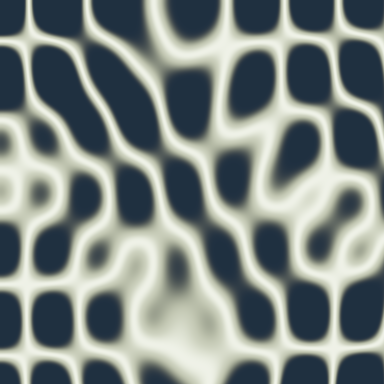
Let recorded EEG reshape a plate pattern. Biotuner extracts harmonic peaks; short smoothing makes the visual transition fluid.
Download patchEegPlayback → Select → Buffer → Peaks → Tuning → HarmonicMorph → HarmonicModes → Smooth → HarmonicChladni → HarmonicInk
Follow this route in the patch panel while watching the viewers alongside it.
| Control | What to explore |
|---|---|
| auto | Add motion around the mix you choose. |
| mix | Balance the harmonic states. This slider stays active during automatic motion; the endpoints select either state. |
| CycleSeconds | Seconds per automatic motion cycle (2–120). Try 8 for lively motion or 45–90 for a slow drift. This does not slow the EEG itself. |
| Channel | Channel in the prerecorded EEG. Try O1, O2, or Pz. |
| EEGDepth | Strength of the EEG modulation. Set 0 to compare the picture without that motion. |
| Response | EEG smoothing window in seconds (0.05–20). Try 0.25 for a quick response or 3–8 for gentler changes. Longer windows soften movement and add delay; allow the window to fill. |
| approach | 0 draws plate modes. 1 draws open waves from the harmonic frame. |
| detail | Maximum mode number. Raise it for finer plate patterns; lower it for broad shapes. |
| lineWidth | Changes the visible zero-displacement band, without changing the field. |
| symmetry | Moves between a cosine product and an antisymmetric swapped-axis form. |
Between media
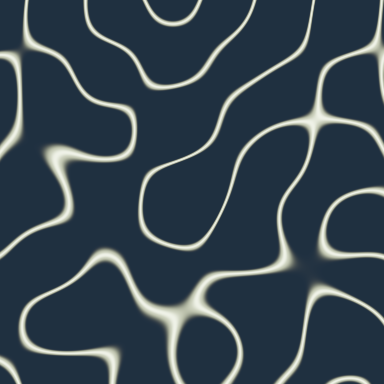
Move between standing plate patterns and open waves. Recorded EEG changes the tuning, phase, and wave spacing while you choose the balance.
Download patchEegPlayback → Select → Buffer → Peaks → Tuning → HarmonicMorph → HarmonicModes → Smooth → HarmonicChladni → HarmonicInk
Follow this route in the patch panel while watching the viewers alongside it.
| Control | What to explore |
|---|---|
| auto | Add motion around the mix you choose. |
| mix | Standing plate patterns at 0, open interference waves at 1. Try both ends, then blend them. |
| CycleSeconds | Seconds per automatic motion cycle (2–120). Try 8 for lively motion or 45–90 for a slow drift. This does not slow the EEG itself. |
| Channel | Channel in the prerecorded EEG. Try O1, O2, or Pz. |
| EEGDepth | Strength of the EEG modulation. Set 0 to compare the picture without that motion. |
| Response | EEG smoothing window in seconds (0.05–20). Try 0.25 for a quick response or 3–8 for gentler changes. Longer windows soften movement and add delay; allow the window to fill. |
| period | Spacing of the open waves. Smaller values pack more detail into the picture. |
| style | Compare fine nodal lines, signed waves, and contours. |
Sand and memory
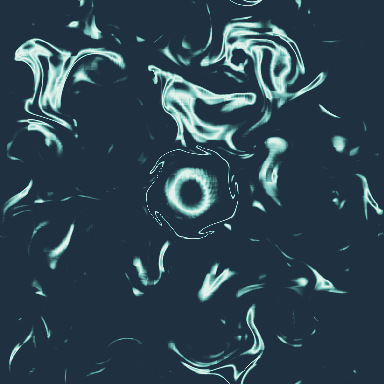
Watch recorded EEG reshape a field of sand and carry persistent ink through it. Compare the instantaneous field with the memory left by motion.
Download patchEegPlayback → Select → Buffer → Peaks → Tuning → HarmonicMorph → Smooth → HarmonicGeometry → HarmonicTransport → HarmonicFlow → HarmonicInk
Follow this route in the patch panel while watching the viewers alongside it.
| Control | What to explore |
|---|---|
| auto | Add motion around the mix you choose. |
| mix | Balance the harmonic states. This slider stays active during automatic motion; the endpoints select either state. |
| CycleSeconds | Seconds per automatic motion cycle (2–120). Try 8 for lively motion or 45–90 for a slow drift. This does not slow the EEG itself. |
| Channel | Channel in the prerecorded EEG. Try O1, O2, or Pz. |
| EEGDepth | Strength of the EEG modulation. Set 0 to compare the picture without that motion. |
| Response | EEG smoothing window in seconds (0.05–20). Try 0.25 for a quick response or 3–8 for gentler changes. Longer windows soften movement and add delay; allow the window to fill. |
| period | Scale of the currents. Compare wide swirls with fine eddies. |
| affinity | Positive collects sand near nodes; negative moves it toward antinodes. |
| temperature | Spread of the sand. Low values make tighter structures. |
| flowMix | Curl (0) circulates around the field; gradient (1) moves across it. |
| rate | Ink motion speed. Try 0.05–0.2 for a slow drift or 1–2 for active currents. Zero freezes the flow. |
| travel | Distance travelled per frame. Raise it for more visible flow. |
| memory | How long the previous ink pattern influences the motion. |
| injection | Fresh grain added to the ink. A little keeps detail alive during long runs. |
| inkStyle | Contours reveal small movements in the ink; magnitude gives a softer wash. |
| reset | Turn on to reseed the ink, then off to let it flow. |
Nodes: HarmonicFlowHarmonicInkGeometryViewHarmonicGeometryHarmonicMorphHarmonicTransport
Knot to knot
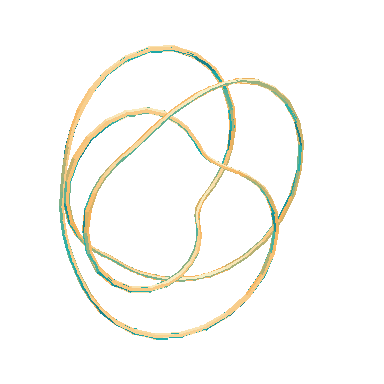
Two rational harmonic knots are built at the same sample count and tube-side count. GeometryBlend moves each vertex to its partner. The triangle list stays fixed. This avoids remapping knot winding numbers on every intermediate tuning.
Download patchTwo HarmonicGeometry meshes → GeometryBlend → GeometryView · same chord endpoints → HarmonicVoices → Osc → Gain → Mixdown
Follow this route in the patch panel while watching the viewers alongside it.
| Control | What to explore |
|---|---|
| auto | Add motion around the mix you choose. |
| mix | Balance the harmonic states. This slider stays active during automatic motion; the endpoints select either state. |
| CycleSeconds | Seconds per automatic motion cycle (2–120). Try 8 for lively motion or 45–90 for a slow drift. This does not slow the EEG itself. |
| yaw | Turn the camera around the knot in Custom view. |
| radius | Thickness of both knot tubes. Thin tubes make the crossings easier to follow. |
| view | Choose perspective, front, lateral, or top. Custom uses the yaw and pitch controls. |
| pitch | Tilt the camera in Custom view. |
| zoom | Zoom in to see crossings or out to see the whole knot. |
| perspective | Set depth perspective. Zero gives a flat projection; try it with Top or Lateral. |
| chordA | Ratios for the first knot and chord. Keep three low-order ratios to retain a clear shape. |
| chordB | Ratios for the second knot and chord. Mix follows the same endpoints for shape and sound. |
| extension | Extra harmonics in the sound; leaves the endpoint meshes unchanged. |
| level | Level of the shared sound voices. Connect Mixdown.out to AudioOut to listen. |
| transpose | Sound transposition in octaves. |
| tone | Choose sine, triangle, or sawtooth oscillators. |
Nodes: GeometryBlendGeometryViewHarmonicGeometryHarmonicMorphHarmonicVoices
Interval garden
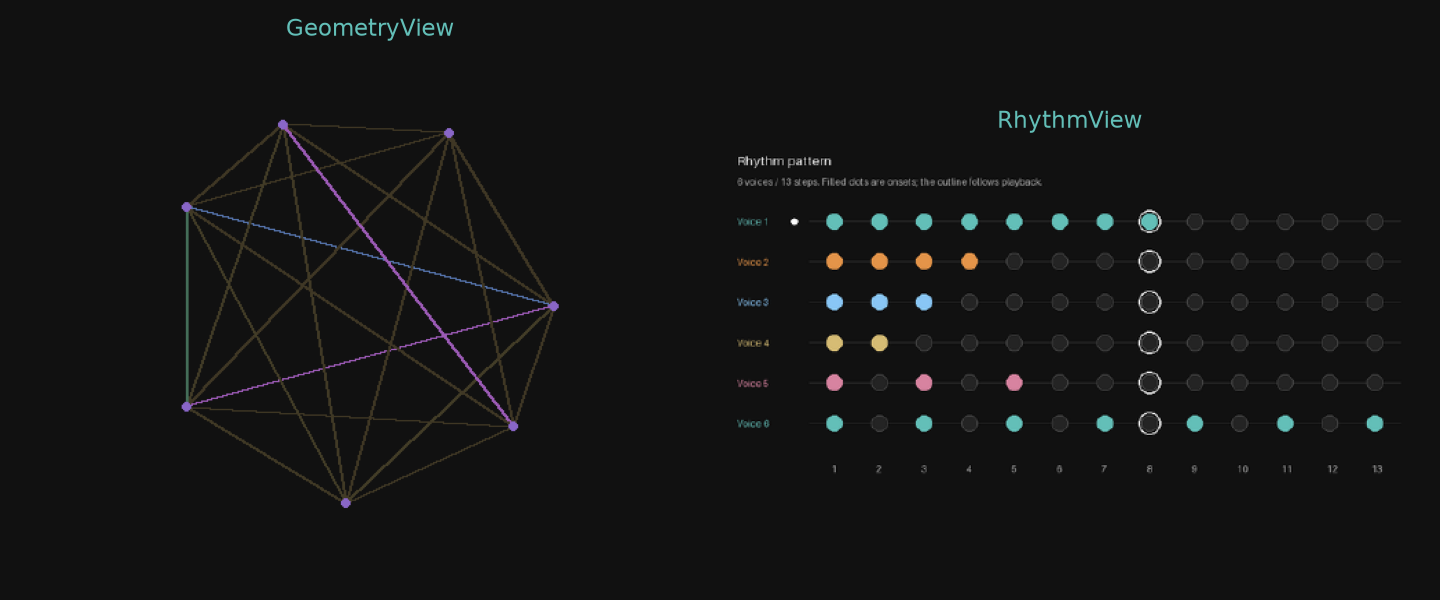
Two seven-degree tunings drive a family of interval and recursive drawings. The same scale feeds BioColors and EuclidRhythm. Change form while holding the chord still to compare how each method uses the intervals.
Download patchHarmonicMorph → HarmonicGeometry → GeometryView · EuclidRhythm → RhythmPlayer → RhythmView
Follow this route in the patch panel while watching the viewers alongside it.
| Control | What to explore |
|---|---|
| auto | Add motion around the mix you choose. |
| mix | Balance the harmonic states. This slider stays active during automatic motion; the endpoints select either state. |
| CycleSeconds | Seconds per automatic motion cycle (2–120). Try 8 for lively motion or 45–90 for a slow drift. This does not slow the EEG itself. |
| form | Choose chord or interval graphs, tuning points, times tables, seeded IFS, subharmonic trees, recursive polygons, or pitch lattices. |
| color | Choose a color mapping for the geometry. |
| depth | Recursion depth for IFS, trees, and recursive polygons. Higher values add branches. |
| order | Polygon sides and structural order for methods that use them. This does not affect every form. |
| zoom | Frame the whole garden or inspect its center. |
| lineWidth | Thickness of graph edges and curves. |
| pointSize | Size of graph vertices and point clouds. |
| rhythmMode | Normal uses each interval; full also includes its inverse. |
| rhythmDetail | Maximum denominator used to approximate intervals. Higher values make longer patterns. |
| tempo | Playback speed in beats per minute. One grid step per beat. |
| playRhythms | Pause the playhead while inspecting the colored onset lanes. |
Nodes: GeometryMetricsGeometryViewHarmonicGeometryHarmonicMorph
Jade resonance
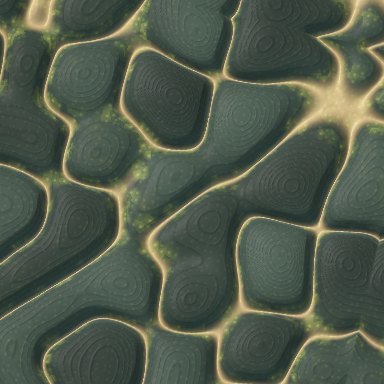
Give an EEG-driven harmonic field a carved material surface. Explore depth, symmetry, and the blend of two textures.
Download patchEegPlayback → Select → Buffer → Peaks → Tuning → HarmonicMorph → HarmonicModes → Smooth → HarmonicChladni → HarmonicRelief
Follow this route in the patch panel while watching the viewers alongside it.
| Control | What to explore |
|---|---|
| auto | Add motion around the mix you choose. |
| mix | Balance the harmonic states. This slider stays active during automatic motion; the endpoints select either state. |
| CycleSeconds | Seconds per automatic motion cycle (2–120). Try 8 for lively motion or 45–90 for a slow drift. This does not slow the EEG itself. |
| Channel | Channel in the prerecorded EEG. Try O1, O2, or Pz. |
| EEGDepth | Strength of the EEG modulation. Set 0 to compare the picture without that motion. |
| Response | EEG smoothing window in seconds (0.05–20). Try 0.25 for a quick response or 3–8 for gentler changes. Longer windows soften movement and add delay; allow the window to fill. |
| textureA | First surface material. Compare jade, silk, and stone. |
| textureB | Second surface material. Blend it into the first with textureMix. |
| textureMix | Blend the two materials. Either endpoint holds one material; auto adds motion around an intermediate blend. |
| goldSeam | Adjust this aspect while keeping the other controls fixed. |
| patina | Adjust this aspect while keeping the other controls fixed. |
| relief | Adjust this aspect while keeping the other controls fixed. |
| symmetry | Adjust this aspect while keeping the other controls fixed. |
Nodes: HarmonicChladniHarmonicInkHarmonicReliefHarmonicModesHarmonicMorph
Living ratios
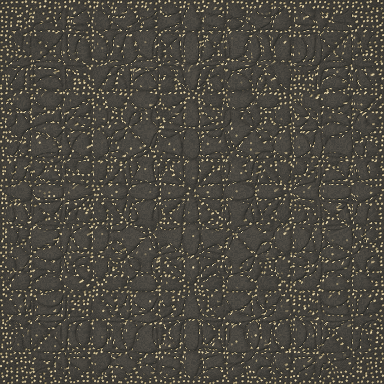
Each ratio replaces one voice in an anchor chord. HarmonicModes uses Biotuner chord_to_int_modes and the pairwise builder to map the complete endpoint chords. Fixed mode frequencies keep the plate still while their weights blend. The field node then applies exp(-w²/σ²) and the notebook’s D4 maximum over density. Both endpoints and the blend travel together. The default takes four seconds per transition. Texture motion starts off; nodalLines shows the same density without surface detail.
Download patchRatioSequence → HarmonicMorph + HarmonicModes → HarmonicChladni → HarmonicRelief
Follow this route in the patch panel while watching the viewers alongside it.
| Control | What to explore |
|---|---|
| running | Adjust this aspect while keeping the other controls fixed. |
| stepSeconds | Seconds per ratio step (0.5–60). Try 15–30 with Glide near 1 for long, flowing transitions. |
| glide | Adjust this aspect while keeping the other controls fixed. |
| textureA | Adjust this aspect while keeping the other controls fixed. |
| textureB | Adjust this aspect while keeping the other controls fixed. |
| textureMix | Balance the two surface materials. Either end keeps one material; the middle adds a gentle blend. |
| bandWidth | Adjust this aspect while keeping the other controls fixed. |
| density | Adjust this aspect while keeping the other controls fixed. |
Nodes: HarmonicChladniHarmonicInkHarmonicReliefHarmonicModesHarmonicMorphRatioSequence
Working practice
Separate the chord, shape, and view
Changing ratios changes the source. Rotating the camera changes your view. Changing a material changes its appearance. Keep those controls separate so you can see what caused a difference. Use a fixed camera scale and field range when comparing amplitude changes.
Choose what should stay continuous
Use HarmonicMorph for components, HarmonicModes for plate coordinates, and GeometryBlend for compatible curves, fields, or meshes. Graph membership and topology can change abruptly. When shapes have unrelated topology, render both and crossfade their images. Compare the transition methods →
Start at preview resolution
The patches start with compact 384 × 384 image views and lighter geometry grids. Increase one resolution at a time. Keep the original geometry array when you need coordinates or measurements; record the rendered image when you want its appearance.
Read the illustrated cookbook → for the searchable atlas of 46 methods, material studies, and detailed working notes.